Explore Smart Retail Displays: Overview, Key Facts, Tips, and Helpful Insights
Smart retail displays refer to digital screens, interactive panels, and technology-enabled signage used in physical retail environments to present product information, promotions, and brand messages. Unlike traditional printed signage, these displays rely on software, sensors, and network connectivity to update and manage visual content dynamically.
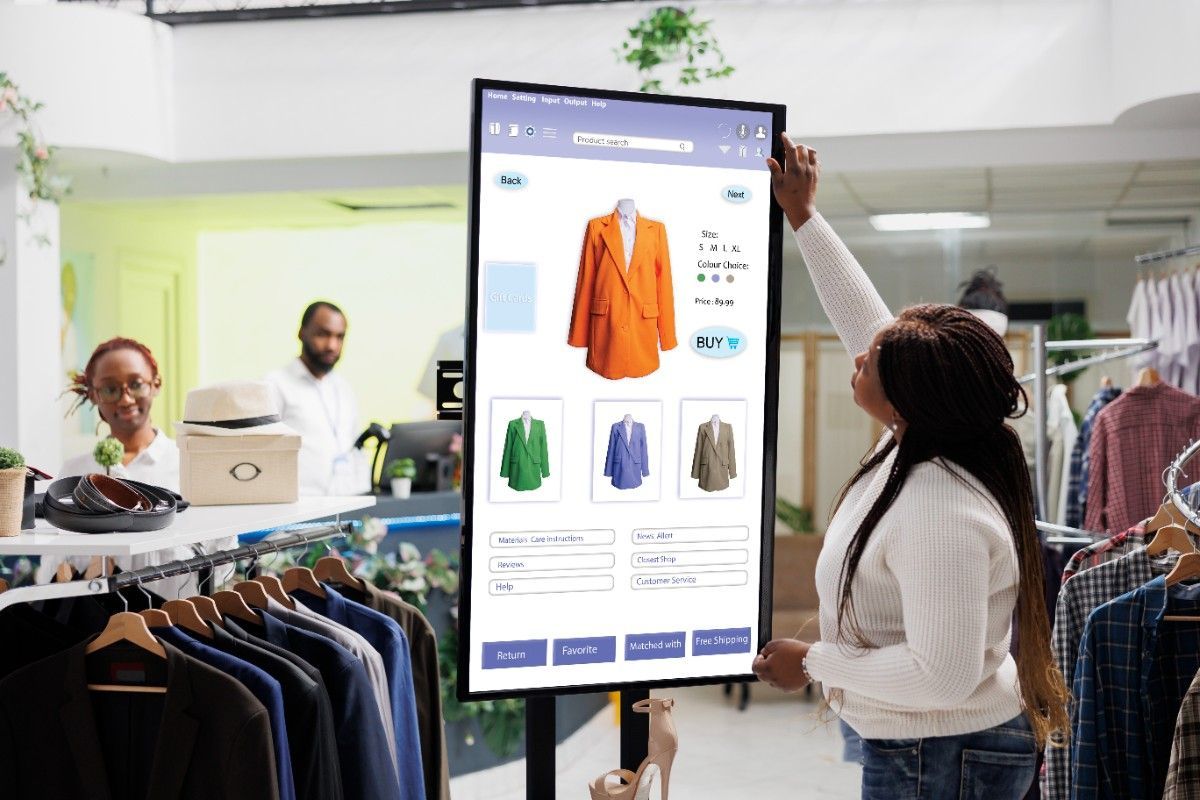
The concept emerged as retailers began integrating digital technology into stores to improve communication with shoppers. As consumer expectations evolved, static posters and printed materials became less adaptable. Digital displays offered a flexible alternative that could be updated remotely and customized based on time, audience, or location.
A typical smart retail display system includes several components:
-
High-resolution digital screens
-
Content management software
-
Data connectivity (cloud or local networks)
-
Sensors or cameras for analytics
-
Scheduling and automation features
These systems are commonly installed in store windows, product aisles, checkout areas, and shopping centers. Retailers use them to present product highlights, educational content, brand storytelling, and seasonal information.
Smart displays can vary widely in format. Some examples include:
| Display Type | Typical Placement | Main Function |
|---|---|---|
| Digital Signage Screens | Store entrances or windows | Showcase brand visuals and announcements |
| Interactive Touch Displays | Product areas | Provide detailed product information |
| Shelf Edge Displays | Store aisles | Highlight product details or comparisons |
| Video Walls | Large retail spaces | Display immersive brand content |
| Smart Mirrors | Apparel sections | Enable virtual product visualization |
These technologies represent part of the broader digital transformation of retail spaces.
Why Smart Retail Displays Matter Today
Retail environments are changing rapidly as online and physical shopping experiences continue to blend. Smart retail displays help stores communicate information in a way that is timely, flexible, and visually engaging.
Several factors explain why this topic has become important.
Improved information access
Digital displays allow retailers to present detailed product explanations, usage demonstrations, and comparisons. This can help shoppers make more informed decisions.
Dynamic communication
Printed materials must be replaced manually, but smart displays can update instantly through centralized systems. Retailers can adjust messaging throughout the day or across multiple locations.
Data-driven insights
Some smart display systems incorporate sensors or analytics tools that measure engagement patterns, such as how long viewers interact with the display. These insights can help retailers better understand shopper behavior.
Support for omnichannel retail
Modern retail often combines online research with in-store visits. Smart displays can connect digital and physical channels by presenting QR codes, product guides, or online catalog references.
Operational efficiency
Digital signage systems may reduce the need for repeated printing of promotional materials. Content scheduling tools allow managers to plan updates ahead of time.
The following table illustrates common problems in traditional retail communication and how smart displays address them:
| Traditional Challenge | Smart Display Approach |
|---|---|
| Static posters become outdated | Content can update instantly |
| Limited space for information | Screens can rotate multiple messages |
| Manual replacement of materials | Remote digital management |
| Lack of customer interaction | Touch or motion-based interaction |
As retail stores explore ways to stay relevant in an increasingly digital environment, these technologies provide a bridge between physical spaces and digital information systems.
Recent Developments and Industry Trends
In recent years, several trends have influenced how smart retail displays are designed and used.
Artificial intelligence integration
Many display platforms now integrate artificial intelligence tools that analyze customer interactions and optimize displayed content. These systems can adjust messages based on time of day, store traffic levels, or product demand patterns.
Computer vision analytics
Retail analytics platforms increasingly use computer vision technology to understand engagement levels around digital displays. These tools analyze patterns such as audience attention time and movement.
Energy-efficient display technology
Manufacturers have introduced energy-efficient LED and micro-LED screens designed for long operational hours. These technologies improve brightness and visibility while reducing energy usage.
Cloud-based content management
Retail organizations often manage display networks through cloud platforms. This approach allows teams to schedule and distribute visual content across many store locations simultaneously.
Interactive shopping experiences
Interactive displays are becoming more common in categories such as fashion, electronics, and home products. Touch screens or motion sensors allow shoppers to explore product features visually.
Policy and Regulatory Considerations
Smart retail display systems operate within broader regulatory frameworks that govern digital communications, advertising practices, and data usage.
Several types of policies may influence how these systems are implemented.
Data privacy guidelines
If displays use cameras or sensors to collect analytics data, privacy regulations may apply. Retailers typically ensure that any collected data is anonymized and used only for aggregate insights.
Accessibility standards
Retail environments often follow accessibility guidelines that ensure information is readable and usable by a wide range of people. Digital displays may incorporate features such as clear typography, contrast, and audio support.
Advertising transparency rules
Retail messaging must comply with advertising standards that encourage accurate and non-misleading information. Content displayed through digital screens follows the same principles as other forms of marketing communication.
Electronic display safety standards
Large display systems installed in public environments must follow technical safety standards regarding electrical systems, installation, and structural support.
These frameworks help ensure that digital retail technologies operate responsibly while providing useful information to shoppers.
Helpful Tools and Resources for Smart Retail Displays
Various digital platforms and technologies support the planning, management, and analysis of smart retail display networks. These tools help retailers organize visual content and monitor display performance.
Some widely used categories of tools include:
Content management platforms
-
Digital signage CMS systems for scheduling and managing visual content
-
Cloud dashboards that control multiple displays across locations
-
Media libraries for storing graphics and videos
Analytics and monitoring tools
-
Audience engagement measurement platforms
-
Display uptime monitoring systems
-
Traffic pattern analysis tools
Design and content creation tools
-
Graphic design platforms for digital display visuals
-
Video editing tools for animated content
-
Template libraries for screen layouts
Planning and layout tools
-
Retail store layout planners
-
Display placement simulation software
-
Screen resolution and brightness calculators
A simplified overview of tool categories:
| Tool Category | Purpose |
|---|---|
| Content Management Systems | Manage and schedule screen content |
| Analytics Platforms | Understand engagement patterns |
| Design Tools | Create graphics and videos |
| Layout Planning Software | Optimize display placement |
Many organizations combine several of these resources to build a coordinated digital signage strategy.
Frequently Asked Questions
What is the difference between digital signage and smart retail displays?
Digital signage generally refers to screens that display scheduled visual content. Smart retail displays often include additional features such as sensors, interactive interfaces, and analytics capabilities.
Where are smart retail displays commonly used?
They appear in store entrances, aisles, checkout zones, product sections, and shopping malls. Some are integrated directly into shelves, mirrors, or kiosks.
Do smart displays require internet connectivity?
Many systems rely on network connections for content updates and analytics. However, some displays can operate offline using locally stored media files.
Can smart retail displays be interactive?
Yes. Some systems include touch screens, gesture recognition, or motion sensors that allow users to explore product information or multimedia content.
Are these systems difficult to manage?
Modern display networks often use centralized dashboards that allow administrators to manage multiple screens, schedule content, and monitor system performance from a single interface.
Key Insights and Takeaways
Smart retail displays represent a shift toward more flexible and information-rich communication within physical stores. By combining digital screens with software platforms, retailers can adapt messaging quickly and deliver detailed product insights.
Several factors continue to shape this technology:
-
Increasing integration of analytics and artificial intelligence
-
Expansion of interactive display experiences
-
Cloud-based management of multi-store networks
-
Greater focus on energy efficiency and sustainability
As retail environments evolve, digital display systems serve as tools for presenting information clearly and dynamically within physical spaces.